Dockerfile
docker has become a fundamental technology of modern development,
and in docker workflows,
the Dockerfile is the most basic file.
A Dockerfile including system configuration, dependency installation, and business code might look like this:
FROM python:3.8-buster
WORKDIR /app

COPY Pipfile Pipfile.lock ./
COPY code /app/code
RUN pip install pipenv
RUN pipenv sync
RUN echo "Asia/Shanghai" > /etc/timezone
RUN dpkg-reconfigure -f noninteractive tzdata
RUN apt-get update
RUN apt-get -y dist-upgrade
RUN apt-get -y install vim tmux git
RUN curl -sL https://sentry.io/get-cli/ | bash
Then very naturally,
developer Xiao Zhou discovers:
every docker build after changing code is very slow.
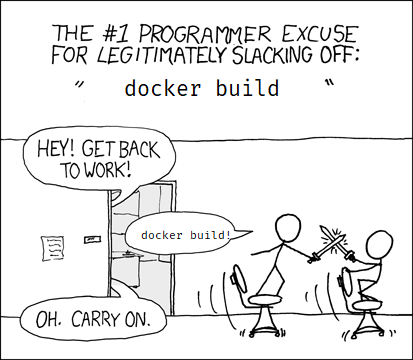
He needs to speed up the build process.
Rewriting the file
The simplest acceleration is rewriting the Dockerfile,
because some commands in the Dockerfile (ADD/COPY/RUN) produce new layers,
and Docker automatically skips already-built layers.
So general optimization principles are based on:
- Commands with smaller changes go earlier, to increase cache utilization.
- Merge commands with the same purpose, reducing layer count.
- Use domestic mirrors, or intranet services to speed up the build.
- Install fewer things, if not a code dependency don’t install it…
- Remember to add appropriate comments for future maintenance.
The rewritten Dockerfile might look like this:
FROM python:3.8-buster
WORKDIR /app

# Default to Shanghai timezone + Aliyun mirror
RUN echo "Asia/Shanghai" > /etc/timezone && dpkg-reconfigure -f noninteractive tzdata && \
    echo "deb https://mirrors.aliyun.com/debian/ buster main non-free contrib" > /etc/apt/sources.list

# Pre-install necessary packages, sentry-cli is pre-stored on the intranet
RUN apt-get update && apt-get -y dist-upgrade && apt-get -y install git && \
    wget https://internal-nginx-service.domain.com/sentry.sh /usr/bin/sentry-cli && \
    pip install pipenv

# Install dependencies, wishing pipenv releases a new version soon
COPY Pipfile Pipfile.lock ./
RUN pipenv sync

# Code changes frequently, put it at the bottom, don't add more commands below
COPY code /app/code
With this rewritten version,
developer Xiao Zhou found
local builds after changing code are super fast,
he’s very satisfied.
But after building with the company’s distributed gitlab runners,
he found:
sometimes images didn’t use cache, and ran through the long build process again.
Distributed builds
When the codebase is large enough,
CI/CD is generally distributed across multiple machines,
default docker build only looks for cache layers locally,
unable to handle such complex scenarios.
A simple way is using docker build --cache-from to specify the image.
We’d write in the ci script:
docker pull LKI/code:latest || true
docker build . -t LKI/code:latest --cache-from LKI/code:latest
docker push LKI/code:latest
But the downside of hand-writing like this is that the logic is bloated.
For instance, to perfectly adapt to multi-branch builds (dev/master/hotfix/release),
you often have to implement your own logic to decide which version to cache from.
A more universal way is to use tools like GoogleContainerTools/kaniko for building.
The best-suited scenario for kaniko is kaniko + kubernetes,
but we’ll save that for the last chapter.
Let’s continue down our workflow.
Using kaniko + docker for building,
we can rewrite the above pull/build/push trio into something like this:
# This command includes cache/build/push
docker run \
  -v "$CODE"/LKI/code:/workspace \
  gcr.io/kaniko-project/executor:latest \
  --cache=true \
  --context dir:///workspace/ \
  --destination LKI/code:latest
and Kubernetes?
As mentioned above, kaniko can be tossed directly into a kubernetes cluster to build:
apiVersion: v1
kind: Pod
metadata:
  name: kaniko
spec:
  containers:
  - name: kaniko
    image: gcr.io/kaniko-project/executor:latest
    args: ["--dockerfile=Dockerfile",
           # That's right, can directly fetch code from s3 to build
           "--context=s3:///bucket/code/",
           "--destination=LKI/code:latest"]
    volumeMounts:
      - name: kaniko-secret
        mountPath: /secret
  restartPolicy: Never
  volumes:
    - name: kaniko-secret
      secret:
        secretName: kaniko-secret
As research deepens further,
it’s easy to think
that docker workflows and kubernetes workflows should have better integration.
That’s what GoogleContainerTools/skaffold is doing.
skaffold not only supports kaniko building mentioned earlier,
it also covers port-forwarding/test/helm-deploy and a series of common workflows.
Interested classmates can look it up themselves.
The story about skaffold, we’ll save for the future
and slowly tell :)