First thanks to Mia, who at the year-end when budget was bottomed out,
sold her iPhone to help me cover the cost…
This article will roughly cover three aspects:
- Surface Pro experience
- My dev environment hardware setup
- My dev environment software setup
Surface Pro Experience
I used to only browse the animation and ghost-mashup zones on Bilibili,
a few months ago I started browsing the tech and lifestyle zones,
and my grass-planting list (wishlist) grew madly like toilet paper a cat had clawed through.
Among many tech-feeling items,
I had my eye on Surface Pro.
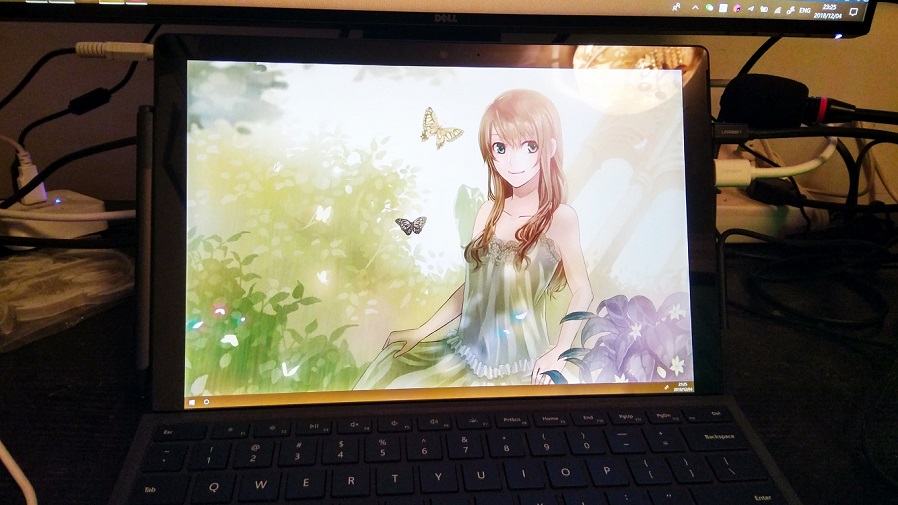
Desktop overview while typing this article
Surface Pro is a tablet computer made by Microsoft.
I had my eye on the Surface Pro 6,
hardware specs are 512GB SSD + 16G memory + 8th gen 4-core i7 CPU (i7-8650U), no discrete GPU, no fan,
besides supporting touchscreen, on the body it has one audio jack, one Thunderbolt 2 (compatible with miniDP) port, one USB 3.0 port, one Surface Connect charging port.
Domestic official bare price is 14888 RMB,
the keyboard in the picture is 788 RMB,
the touch pen stuck to the left side of the screen is 728 RMB.
The above data is a bit cold,
let’s give some specific examples:
- Body is very light. Weight is 700g, carrying it in a backpack feels just like carrying half of “Introduction to Algorithms.”
- Carrying it around is very convenient. Used with touchscreen apps like XODO/Bamboo you can completely go paperless, even chatting with candidates with resume in hand.
- And notes naturally being digital is super satisfying
- No wonder @Kuaixue Chuqing who uses iPad always wants to write something
- Wouldn’t want to play big games on Surface. No discrete GPU made me not even want to install dota2.
- However I still installed Artifact and Civ 6.
- Playing Civ is much smoother than imagined, no obvious lag within 100 turns at standard speed.
- But it gets hot, comparable to Xiaomi MIX while playing Onmyoji while charging.
- No lag whatsoever during work. 16G memory simultaneously open with Chrome + JetBrains + Music is totally no pressure.
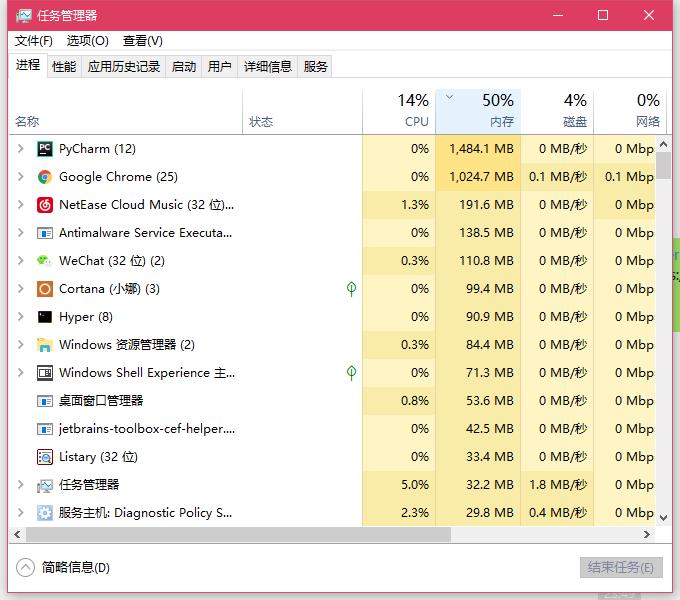
Common memory usage during development
In summary, after getting Surface,
I used it to replace the Hasee company computer I used before.
Currently still in honeymoon period, I also carry this little book home.

My Dev Environment Hardware Setup
My needs for the hardware dev environment are roughly:
- Both company and home need comfortable dev environments
- I generally also write some code at home
- The company’s configuration needs to be a bit better
- On workdays I sleep about 8 hours, the remaining 12 hours at company, 4 at home.
- The proportion of code-writing time at company per week is higher.
- Monitors need to be more, keyboard and mouse have to be maxed out
- I’m not used to multi-desktop switching on single screen
- As the saying goes: the noobier the programmer the bigger the keyboard
- From Guangdong, that’s Cantonese (cai is Chinese for “dish/vegetable” — a pun on noob/Cantonese cuisine)
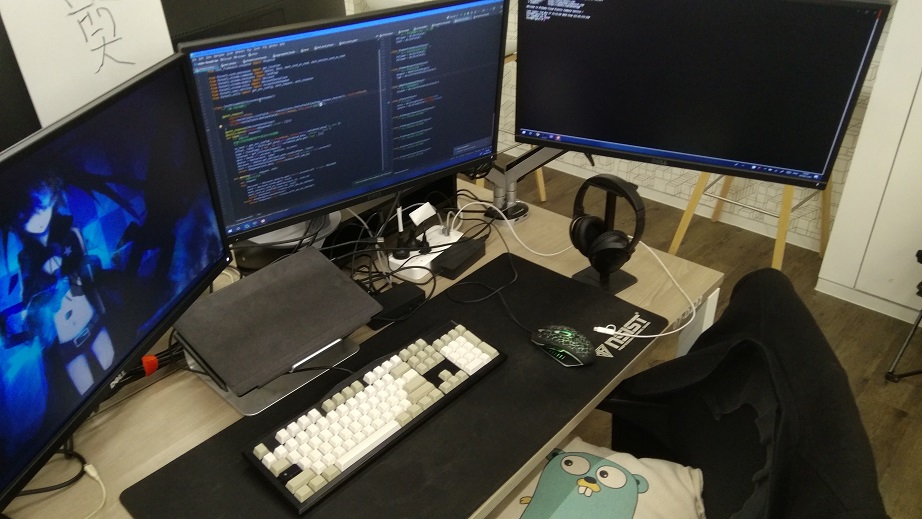
Programmer’s desktop
- Computer (main unit): Surface Pro
- Company standard is a Mac Pro of those years
- I requested a Hasee myself, returned now
- Monitor: Dell U2417H * 3 + monitor arms
- Company standard is two, I supplemented one myself
- Monitor arms I bought Loctek + NewBalance, feel NB is cheaper and quality is okay, all NB would also be OK
- Keyboard and mouse: Cherry Blue Switch + Razer Mamba
- The keycaps are a set of high-cap blanks @hulucc bought wrong and gave to me, very nice to use
- The Mamba was 5 RMB from a Taobao event, since I use Vim I don’t use it much, also very nice (laughing
- Accessories: Surface Dock + Bose QC 35II + Xiaomi power strip / data cables
- Worth mentioning are just these
- Surface Dock: Official expansion dock, only takes one Connect charging port, provides two Thunderbolt 2, four USB, one network port, super convenient to plug/unplug! One-click leave work is no longer a dream
- Bose QC 35II: Belongs to dishwasher-class needs, once you use it you can’t go back to no noise-canceling headphones
- Xiaomi power strip/data cables: Cost-effective and practical, if buying yourself strongly recommended (mine is company-provided)
Finally the price section:
- Surface bare + keyboard is essential, including pen the whole set is about 16000, JD/Taobao etc. promotions might have discounts, students can also buy official 10% off education sets.
- Dell U2417H is about 1.5k, monitors depend on personal preference. Saw a good piece recently: 《How to Choose a Monitor》
- Keyboard/mouse/headphones I’ll skip, Dock official price is 1.5k, if you have multi-monitor needs it’s a must-buy
The whole set may look pretty fucking expensive,
but you can slowly save up piece by piece :)
My Dev Environment Software Setup
It’s been nearly two years since my last 《Building a Comfortable Windows Dev Environment》,
now re-reviewing the previous dev environment,
I find the software I use has basically all been swapped out…
But no matter what platform I develop on,
or what software I use to boost productivity,
I think the general principle doesn’t change:
Focus on goals, boost efficiency, reduce repetition
The main problems I faced two years ago, and the solutions:
- Inconvenient to install software: Use
chocolateyfor automated installation - Inconvenient to switch programs / find files: Use
wox + everythingto locate - Need to work in a linux-like shell: Use
git bashas work environment - Many things must be done under linux: Use
virtualbox + vagrant + puttylocal virtualization solution - Boost work experience: Use
NetEase Cloud Music + Youdao Cloud Notes + Youdao Dictionary - Want to be a person with ideals and aspirations: Use
Vim
Now the problems I face and solutions, are somewhat different from two years ago:
- Inconvenient to install software: Manual installation
- Essentially this is caused by Windows’ chaotic free ecosystem, many softwares can’t be supported by
chocolatey(like Steam) - Even software supported by
scooporchoco, will have slightly different configs for each software, producing automated installation experiences that don’t satisfy OCD - So now I choose to manually install all software. Actually feels fine, since you won’t install thousands of softwares on a computer…
- Essentially this is caused by Windows’ chaotic free ecosystem, many softwares can’t be supported by
- Inconvenient to switch programs / find files: Use
listarylistary’s features perfectly coverwox + everything- Support for Chinese is also very good
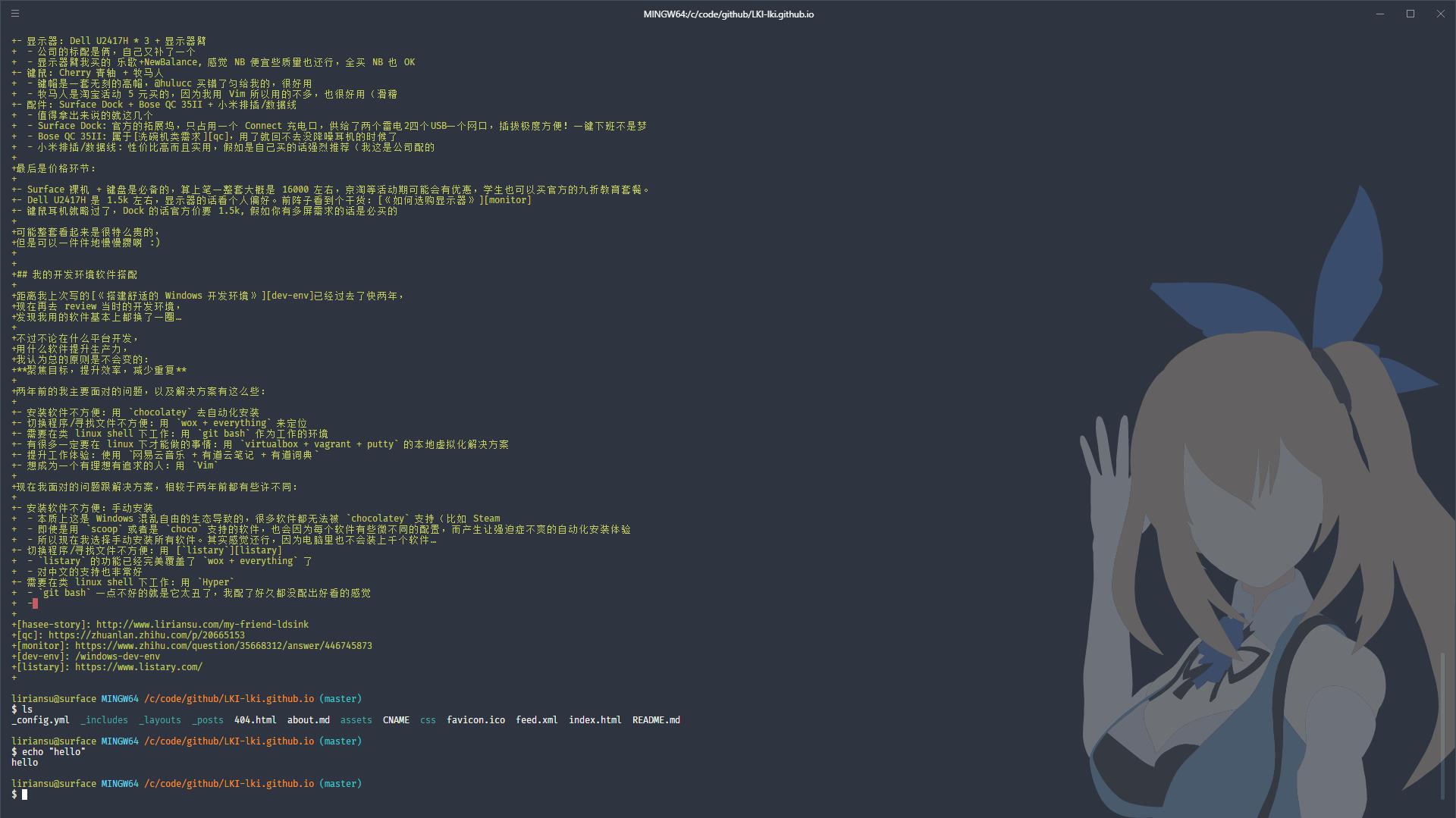
- Need to work in a linux-like shell: Use
Hyper- The one bad thing about
git bashis it’s too ugly, I configured for a long time without making it look good - The theme I use for
Hyperishyper-akari, a work by CSS Magic Brother whom I really like
- The one bad thing about
- Many things must be done under linux: Then go do them under linux
- The backend I’m currently doing is perfectly cross-platform development and testing
- Specific functions will be filtered out with fake/mock, doesn’t hinder dev experience
As for other experience-related software,
that’s a matter of personal preference, take what you need.
Finally attached are some of my little habits:
- Uniformly manage all software configs, all put in github.com/LKI/LKI.
- Put code under a unified workspace (mine is
C:\Code) - Use
ss + Proxifier + SwitchyOmegato achieve VPN under complex rules. - :wink: Use
Vim
(End)